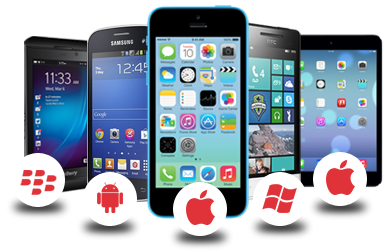
As mobile learning continues to increasingly make its way into the physical and online classroom, app development is one of the areas I have been interested for some time now. There is no question that there is a plethora of apps that can address a number of educational learning needs whether a child is practicing basic addition/subtraction to college-level groups of students collaborating on planning documents with Google Drive on the go. In my initial research into app development revealed that coding languages such as Java, C++, Python, Corona-One, and Ruby to name a few is necessary. However, over time and further investigation, I began noticing a number of applications and services that require less of needing a programing language knowledge base but including a more graphical user interface instead. This is similar to building web pages now where you don't have to have a working knowledge of HTML code. Below are several cloud/Web-based applications I encountered that can potentially offer easy-to-use interfaces for creating educational mobile apps.
- App Press. This is a Web-based app builder that targets iPhone, iPad, and Android applications. App Press uses a Photoshop-like interface for assembling visual assets via layers.
- EachScape. A cloud-based builder that provides a drag-and-drop interface for native iOS and Android apps as well has HTML5 Web apps.
- iBuildApp. This easy-to-use builder provides customizable templates for iPhone, iPad, and Android apps. No coding required as well.
- AppGyver. This is another drag-and-drop builder that aims at iOS and Android apps. Apps can then be published to Apple's App Store and Google's Play Store.
From an instructional standpoint, there are apps that simply don't fulfill a particular learning need. It would be great to have mobile apps made in no time. However, some level of technical "know how" and time are required to accomplish such task. As with many learning technologies, time consumption is not always an option for faculty. As an instructional designer, I would be interested in creating a Baylor faculty development app where instructors can book resources such as our video and audio booths and sign up for training sessions Online Teaching and Learning Services host. In addition, the same app could contain training resources such as quick "how-to" videos for using Canvas tools such as creating screencasts with Kaltura or implementing quiz options to deter cheating or other forms of academic misconduct. Let me know your thoughts and interests in app development!

